
How to Withdraw Money from PollPe: Complete Guide
TL;DR
Step-by-step guide to withdrawing your PollPe earnings via UPI, bank transfer, or gift cards.
Getting Your Money Out of PollPe: A Complete Guide
You've been taking surveys and watching your PollPe balance grow. Now it's time to actually get that money into your hands. PollPe offers multiple withdrawal options, and this guide walks you through each one step by step.
Withdrawal Options Available
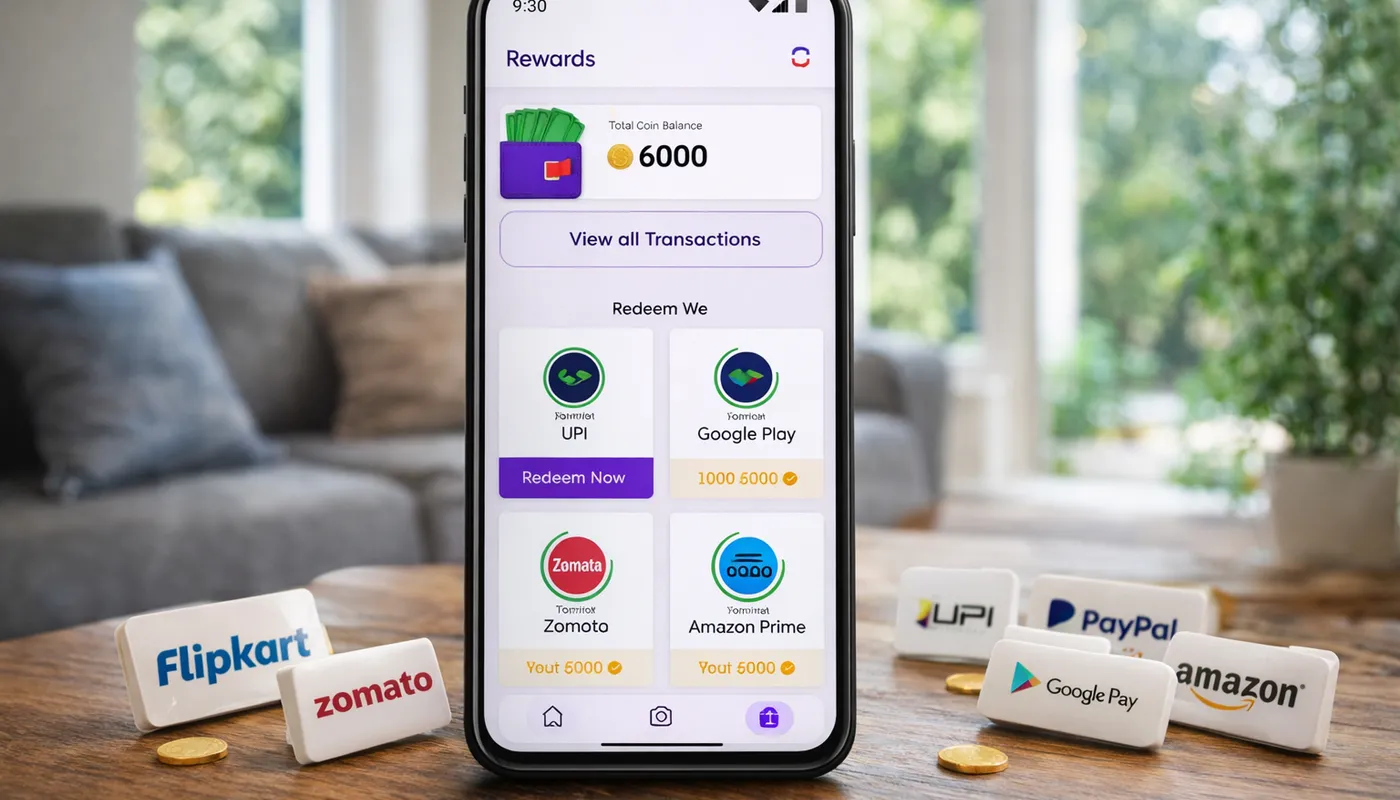
PollPe currently supports three main withdrawal methods:
- UPI Transfer — Direct to your bank account via any UPI app
- PayPal — For international users or those who prefer PayPal
- Gift Cards — Amazon, Flipkart, and other popular retailers
How to Withdraw via UPI (Recommended for Indian Users)
UPI is the fastest and most popular withdrawal method for Indian users. Here's exactly how to do it:
Step 1: Check Your Balance
Open PollPe and go to your wallet or earnings section. Make sure your balance meets the minimum withdrawal threshold. For UPI transfers, you typically need at least ₹100 in your account.
Step 2: Navigate to Withdraw
Tap the "Withdraw" or "Redeem" button in your wallet section. Select "UPI Transfer" from the available options.
Step 3: Enter Your UPI ID
Enter your UPI ID carefully. This looks like yourname@upi, yourname@paytm, 9876543210@ybl, or similar formats depending on your UPI app. Double-check every character — a wrong UPI ID means your money goes to someone else, and it's very difficult to reverse.
Step 4: Enter the Amount
Enter how much you want to withdraw. You can withdraw your full balance or a partial amount.
Step 5: Confirm and Wait
Review the details and confirm. UPI withdrawals are typically processed within 24–48 hours. You'll receive a notification when the transfer is complete, and the money will appear in your linked bank account.
How to Withdraw via PayPal
PayPal withdrawals are ideal if you're outside India or prefer keeping earnings in your PayPal wallet:
- Go to the Withdraw section and select "PayPal"
- Enter your PayPal email address (must match your verified PayPal account)
- Enter the withdrawal amount
- Confirm the transaction
- PayPal transfers may take 2–5 business days to process
Note: PayPal may charge a small receiving fee. Check your PayPal account terms for details.
How to Redeem Gift Cards
Gift cards are a great option if you want to use your earnings for shopping immediately:
- Go to the Withdraw/Redeem section
- Browse available gift card options (Amazon, Flipkart, etc.)
- Select the gift card and denomination you want
- Confirm the redemption
- You'll receive a gift card code via email or in-app notification
- Apply the code at checkout on the respective shopping platform
Gift card redemptions are usually instant or processed within a few hours.
Troubleshooting Common Withdrawal Issues
"Withdrawal Failed" Error
This usually happens for one of these reasons:
- Incorrect UPI ID: Verify your UPI ID by sending ₹1 to yourself from another UPI app first
- Bank server issues: Try again after a few hours. Bank UPI servers occasionally go down
- KYC not complete: Some withdrawal thresholds require KYC verification. Check if you have pending verification steps
"Minimum Balance Not Met"
Each withdrawal method has a minimum amount. If you're close but not quite there, complete one or two more surveys to cross the threshold.
"Withdrawal Pending" for More Than 48 Hours
If your UPI withdrawal has been pending for more than 48 hours:
- Check if you received any error notification in the app
- Verify your UPI ID is still active by receiving a small payment from a friend
- Contact PollPe support with your withdrawal transaction ID
Tips for Smooth Withdrawals
- Withdraw regularly: Don't let large balances accumulate. Withdraw weekly or bi-weekly.
- Keep your UPI ID updated: If you change your primary UPI app, update your withdrawal details immediately.
- Start small: Make your first withdrawal a small amount to test the process. Once confirmed, you can withdraw larger amounts with confidence.
- Screenshot everything: Take screenshots of your withdrawal requests and confirmation screens. This helps if you ever need to contact support.
- Check your bank statement: Sometimes UPI transfers arrive without a push notification. Check your bank account or statement directly.
Withdrawal Processing Times Summary
- UPI: 24–48 hours (often faster)
- PayPal: 2–5 business days
- Gift Cards: Instant to a few hours
Frequently Asked Questions
Is there a withdrawal fee?
PollPe does not charge withdrawal fees for UPI transfers. PayPal may have its own receiving fees. Gift cards are redeemed at face value with no deduction.
Can I withdraw to someone else's account?
For security reasons, you should only withdraw to accounts in your own name. Withdrawals to third-party accounts may be flagged or rejected.
What if I entered the wrong UPI ID?
Contact PollPe support immediately. If the transfer hasn't been processed yet, they may be able to cancel it. Once sent to an incorrect UPI ID, recovery depends on the receiving bank's cooperation.